
Why Our $1,900 RTX 5070 Custom Build Beats the NZXT Player One
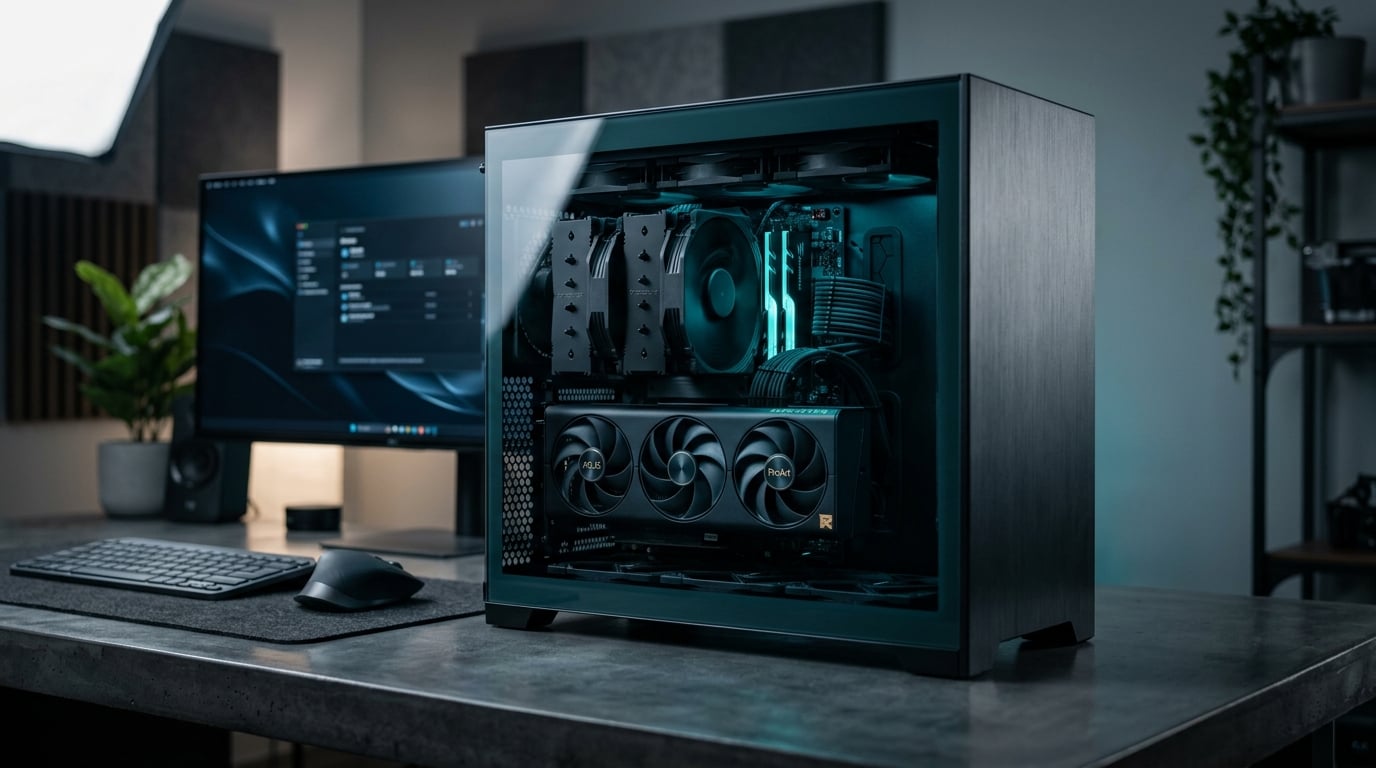
NZXT's Player One prebuilts have been all over YouTube and Reddit lately. They look clean, the marketing is solid, and the price seems reasonable at first glance. But when you actually break down what you're getting versus what we build for $1,900 with an RTX 5070, the differences are hard to ignore.
I'm not here to trash NZXT. They make decent cases and their CAM software has its fans. But their prebuilt strategy prioritizes aesthetics and margin over the component choices that actually matter for gaming performance. Let me show you exactly where our custom builds pull ahead.
The Component Breakdown: Where Your Money Actually Goes
The NZXT Player One Prime with an RTX 5070 runs about $2,099 as of this writing. Our comparable build comes in at $1,900 and includes better choices in the places that count.
CPU: 7800X3D vs Whatever's Cheapest
NZXT typically pairs their RTX 5070 builds with either a Ryzen 7 7700 or Intel i5-14400F, depending on what they got a bulk deal on that quarter. Both are fine CPUs for general use, but neither is optimized for gaming.
We spec the Ryzen 7 7800X3D. Period.
The 7800X3D's 3D V-Cache technology gives you 10-20% better frame rates in CPU-bound games compared to standard Ryzen 7000 chips. We're talking about the difference between 90fps and 110fps in games like Baldur's Gate 3, Starfield, or heavily modded Minecraft. If you're building a gaming rig in 2025, this is the CPU that makes sense.
NZXT saves $150-200 on the CPU and pockets it. We put that money into performance you'll actually feel.
Motherboard: B650 vs B550 Leftovers
Prebuilt companies love to cheap out on motherboards because most buyers don't know the difference. NZXT often uses bare-minimum B550 boards (for AMD builds) with weak VRMs, limited USB ports, and no upgrade path.
Our builds use quality B650 boards from MSI or ASUS with:
- PCIe 5.0 support for future GPU upgrades
- Better power delivery for CPU stability
- More M.2 slots for storage expansion
- USB-C front panel headers that actually work
- BIOS flashback buttons for easy updates
You might not care about VRM quality today, but you will when you're trying to run that 7800X3D at full boost clocks during a 6-hour gaming session in July. Heat matters. Power delivery matters.
RAM: Actual Speed vs Marketing Speed
NZXT advertises "32GB DDR5" and calls it a day. What they don't advertise is that it's usually 4800MHz with loose timings, running in single-rank configuration.
We install 32GB of DDR5-6000 CL30 from Corsair or G.Skill, properly configured in dual-channel. Ryzen 7000 CPUs are extremely sensitive to RAM speed, and the performance difference between 4800MHz and 6000MHz can be 8-12% in gaming workloads.
This isn't theoretical. If you're playing at 1440p with an RTX 5070, your CPU and RAM speed directly impact your frame times and 1% lows. Smooth gameplay isn't just about average FPS.
Storage: NVMe That Actually Performs
Most prebuilts use whatever NVMe drive was cheapest that week. You'll get a 1TB drive with a brand you've never heard of, DRAM-less cache, and read speeds that barely beat SATA SSDs.
We use 1TB Samsung 980 Pro or WD Black SN850X drives. These are PCIe 4.0 drives with actual DRAM cache, sustained write speeds over 5000MB/s, and endurance ratings that'll outlast the rest of your build. Game load times, shader compilation, and Windows responsiveness all benefit from quality storage.
You're spending $1,900. Your boot drive shouldn't be the bottleneck.
The RTX 5070: Same Card, Different Experience
Both builds have an RTX 5070, so performance should be identical, right? Not quite.
NZXT uses whichever RTX 5070 model they got the best bulk pricing on. Sometimes it's a single-fan blower model. Sometimes it's a dual-fan card with a plastic shroud. You don't get to choose.
We install a quality AIB card from ASUS, MSI, or Gigabyte with:
- Triple-fan cooling for lower temps and noise
- Factory overclocks that actually boost performance
- Metal backplates for GPU sag prevention
- Better power delivery for sustained boost clocks
The difference between a reference-spec RTX 5070 and a quality AIB model is 5-8% performance and 10-15°C under load. That matters in a small case, and it definitely matters if you're in Radford or Christiansburg during summer when ambient temps are already pushing 80°F.
Power Supply: The Part That Kills Prebuilts
This is where prebuilt companies really cut corners, and it drives me nuts.
NZXT typically uses 650W or 750W power supplies from their own brand or budget OEMs. They'll be 80+ Gold rated, which sounds fine until you realize the unit uses cheap capacitors, has poor voltage regulation, and comes with a 3-year warranty because even they don't expect it to last longer.
We install Corsair RMx or EVGA SuperNOVA units. 850W, 80+ Gold, fully modular, 10-year warranty. These are power supplies that can handle transient power spikes from the RTX 5070 without tripping OCP, and they'll still be running when you upgrade to an RTX 6080 in three years.
A bad PSU doesn't just fail. It takes other components with it. I've seen cheap power supplies fry motherboards, GPUs, and storage drives when they go. Spending an extra $40 on a quality PSU is the cheapest insurance you can buy.
Case and Cooling: Form vs Function
NZXT's H series cases look great. I'll give them that. But they prioritize aesthetics over airflow, which means your components run hotter and louder than they need to.
We typically build in cases like the Fractal Torrent, Lian Li Lancool 216, or Corsair 4000D Airflow. These are cases designed around actual thermal performance:
- Mesh front panels for unrestricted intake
- Room for 140mm fans that move more air at lower RPM
- Proper cable management space
- Dust filters you can actually clean
- Support for tower coolers and 280mm AIOs
For cooling, we use quality tower coolers like the Thermalright Peerless Assassin or DeepCool AK620. These keep the 7800X3D under 70°C during gaming, and they're quieter than the stock coolers or cheap AIOs that prebuilts use.
If you want your PC to stay cool and quiet whether you're in Pulaski or Roanoke, airflow matters more than RGB.
No Bloatware, No Compromises
When you buy an NZXT prebuilt, it comes loaded with:
- NZXT CAM software (required for fan control)
- Trial versions of antivirus you don't need
- OEM Windows with locked-down settings
- Manufacturer utilities that run at startup
Our builds come with a clean Windows 11 Pro install. Nothing running in the background. No software trying to upsell you. Just your games, your apps, and your choice of monitoring tools.
We also don't lock you into proprietary fan controllers or RGB ecosystems. Everything uses standard headers and connectors. If you want to upgrade or modify something in two years, you can do it yourself without reverse-engineering NZXT's wiring.
The Real Cost of "Convenience"
Prebuilts sell convenience. You click buy, it shows up, you plug it in. That's worth something.
But you're paying $200+ for that convenience, and you're getting worse components in the process. The NZXT Player One isn't a bad computer. It'll run games fine. But it's not optimized for gaming performance, it uses cheaper parts where it counts, and you're locked into their ecosystem.
Our custom PC builds cost less, perform better, and give you exactly what you need for 1440p gaming without the compromises. We build it, test it, and deliver it to you anywhere in the New River Valley, from Radford to Christiansburg to Pulaski. You get the same convenience without the markup.
Why This Matters for 1440p Gaming
The RTX 5070 is a 1440p card. It'll push 100+ fps in most modern games at high settings, and it handles ray tracing better than anything in its price range.
But to actually get that performance, the rest of your system needs to keep up. A slow CPU creates bottlenecks. Slow RAM increases frame time variance. A hot GPU thermal throttles. A cheap PSU causes crashes during power spikes.
NZXT's prebuilts will run games. Our builds will run them better, smoother, and cooler. That's the difference between a computer that plays games and a gaming PC.
What You Get With Zaxx Tech Solutions
When we build your PC, you're not just getting parts in a box. You're getting:
- Component selection based on actual performance data, not bulk pricing
- Proper cable management and build quality
- Stress testing and burn-in before delivery
- A clean Windows install with your choice of software
- Local support if something goes wrong
- No bloatware, no compromises, no upsells
We also offer ongoing IT support if you need help with driver updates, game optimization, or troubleshooting down the road. You're not calling a 1-800 number and waiting on hold. You're texting Zach.
Ready to Build Something Better?
If you're in Radford, Christiansburg, Pulaski, Roanoke, or anywhere in the New River Valley and you're serious about gaming performance, let's talk. We'll spec out exactly what you need for your budget and your games, no filler parts, no marketing nonsense.
Call us at 540-440-1157 or email [email protected]. We'll walk you through the build, answer your questions, and deliver a system that actually performs the way a $1,900 gaming PC should.
You can also check out our customer reviews to see what other gamers in the area have said about their builds.
The RTX 5070 is a hell of a card. Let's build it a system that does it justice.
Need help with your tech in Virginia?
Zaxx Tech Solutions handles security systems, custom PCs, websites, Starlink, and IT support — all locally, all licensed (DCJS #11-30241). Get a no-pressure quote today.