
Is Starlink Worth It? What to Know Before You Buy in Virginia

If you're reading this, you've probably dealt with slow DSL, spotty cellular hotspots, or the frustration of living just outside the cable company's service area. I've installed Starlink systems across Radford, Christiansburg, Pulaski, and the wider New River Valley, and I can tell you this: it's not magic, but for some folks, it's a game-changer.
Let's cut through the hype and talk about what Starlink actually delivers, what it costs, and whether it makes sense for your situation.
What Is Starlink, Really?
Starlink is SpaceX's satellite internet service. Unlike old-school satellite internet that bounces signals off a couple of satellites 22,000 miles up, Starlink uses thousands of low-orbit satellites just a few hundred miles overhead. That means lower latency and faster speeds—closer to what you'd expect from cable or fiber.
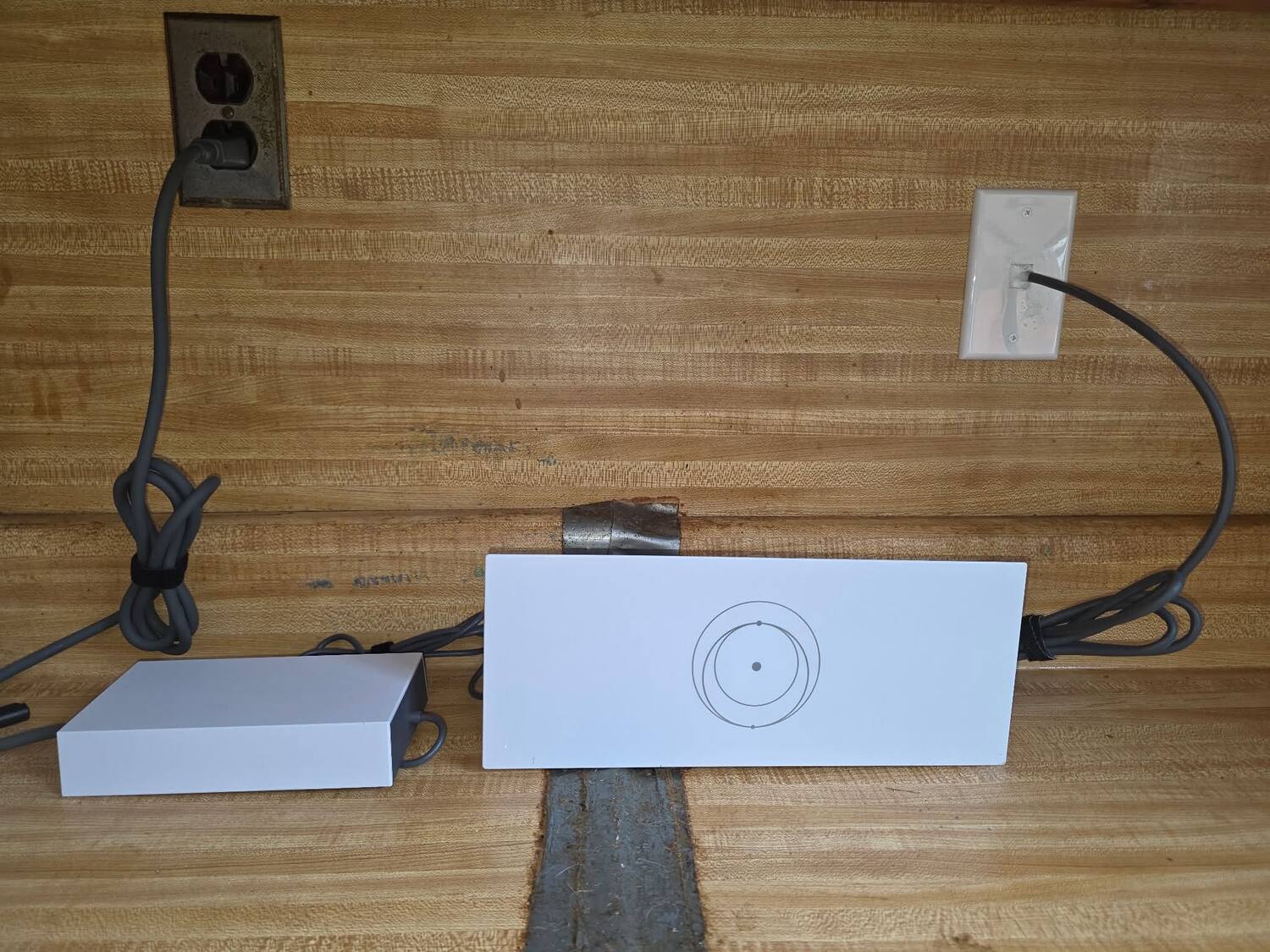
You get a dish (about the size of a large pizza box), a router, cables, and a mounting setup. Point it at a clear patch of sky, plug it in, and you're online. No phone line required, no cable hookup, no waiting for the local ISP to run a line down your road.
The Real-World Performance
Here's what I'm seeing with installs across the New River Valley:
- Download speeds: Typically 50-150 Mbps, sometimes higher. I've seen 200+ Mbps on clear days.
- Upload speeds: 10-25 Mbps on average. Not symmetrical like fiber, but way better than most DSL.
- Latency: 25-50ms in most cases. Good enough for Zoom calls, online gaming, and streaming. Not quite as snappy as cable, but light-years ahead of old satellite.
- Weather impact: Heavy rain or wet snow can slow things down. It's rare, but it happens. Light rain? Usually no problem.
For context, if you're currently limping along on 10 Mbps DSL or a 4G hotspot that drops every time someone uses the microwave, Starlink is a massive upgrade.
What It Actually Costs
Let's talk money, because this isn't cheap:
- Hardware: $599 for the standard residential kit (as of this writing). That's the dish, router, cables, and mount.
- Monthly service: $120/month for residential. No data caps, no contracts.
- Business tier: $2,500 for hardware, $500/month for service. You get priority bandwidth and better support. Only makes sense if internet downtime costs you real money.
There are also mobile and RV plans if you need portability, but most folks around here are looking at the residential setup.
Compare that to cable internet at $60-80/month or DSL at $40-60/month. Starlink costs more. The question is whether the performance jump is worth it.
When Starlink Makes Sense
I recommend Starlink to clients in these situations:
You're Truly Rural
If you're outside Christiansburg or Radford city limits, down a gravel road, or anywhere the cable company laughs when you call, Starlink might be your best option. I've installed systems for folks in Pulaski County who were quoted $15,000+ to run a cable line to their property. Suddenly $599 doesn't sound so bad.
You Work From Home
If you're on Zoom calls, uploading files, or running cloud-based software, you need reliable internet. Starlink's latency is low enough that video calls work fine, and the bandwidth handles multiple devices without choking.
You've Tried Everything Else
DSL maxed out at 6 Mbps? Cellular hotspot eating through data caps? Fixed wireless line-of-sight blocked by trees? Starlink doesn't care about phone lines, cell towers, or terrain. It just needs a view of the sky.
You're Running a Small Business
If you're operating a shop, farm office, or remote workspace where internet downtime means lost revenue, the business tier might make sense. I've set up systems for contractors who need to process credit cards, access cloud tools, and stay connected even when they're working from a job site.
For commercial operations that need rock-solid connectivity, you might also want to look at our commercial security systems that can integrate with your network for remote monitoring.
When Starlink Doesn't Make Sense
Be honest with yourself about these:
You Have Access to Cable or Fiber
If Comcast, Cox, or a fiber provider serves your address, use them. They're cheaper, faster, and more consistent. Starlink is for people who don't have that option.
You're Surrounded by Trees
Starlink needs a clear view of the northern sky (in the Northern Hemisphere). If you're in a hollow surrounded by 80-foot oaks, you're going to have obstructions. The app will tell you if your site works before you buy, but don't ignore what it says.
You're on a Tight Budget
That $120/month adds up. If you're barely using the internet—just checking email and Facebook—you might be better off with a cheaper DSL plan or a mobile hotspot, even if it's slower.
You Need Guaranteed Uptime
Starlink is reliable, but it's not enterprise-grade. If you're running a data center or a business where 99.9% uptime is non-negotiable, you need a dedicated fiber line with an SLA.
Common Problems I See
Here's what trips people up:
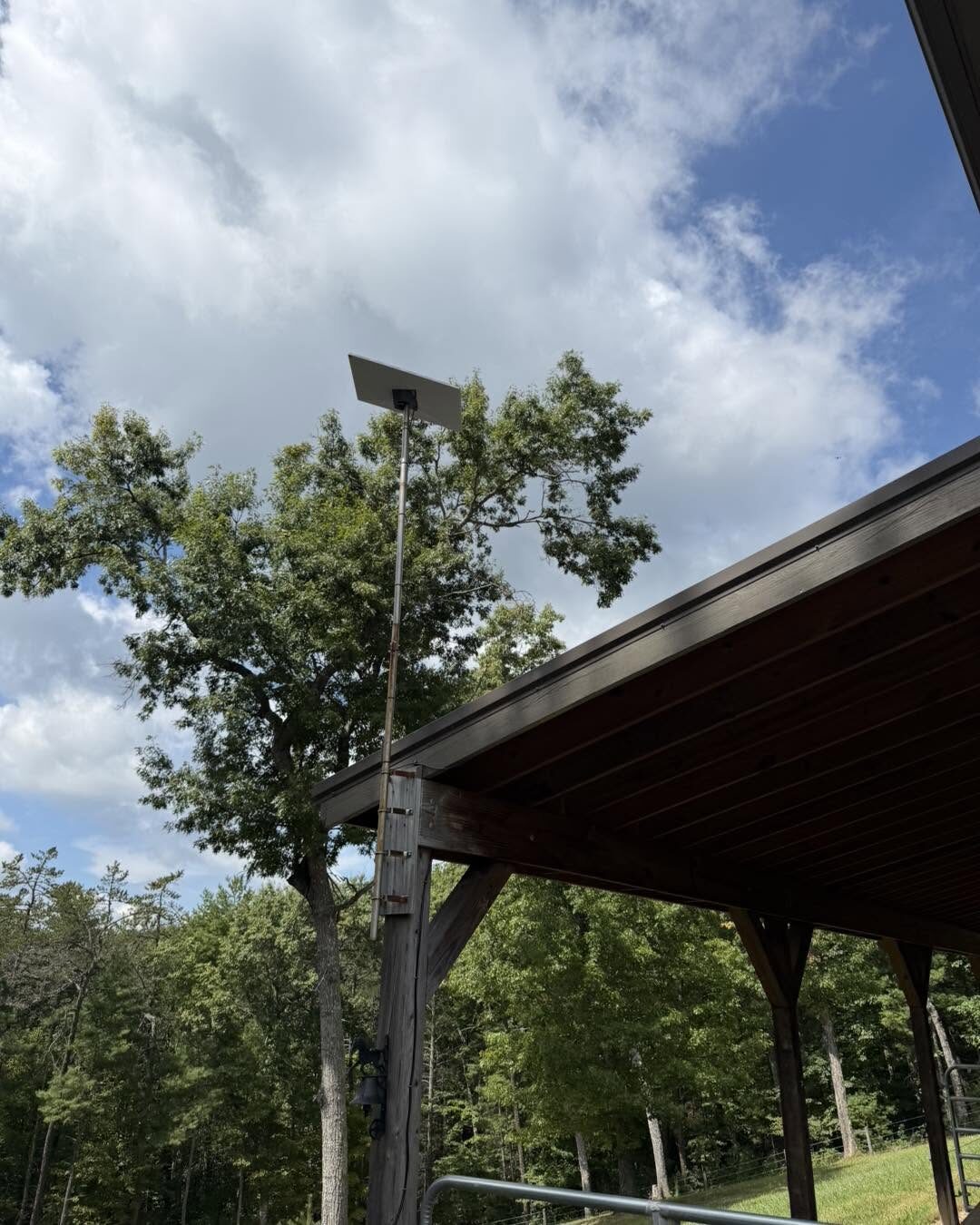
Mounting issues. The dish needs to be stable and have a clear view. I've seen people set it on the ground next to their house, then wonder why it doesn't work. Proper mounting matters. That's where professional Starlink installation comes in.
Power outages. Starlink needs power. If your electricity goes out, so does your internet. A small UPS battery backup ($100-150) keeps you online during short outages.
Obstructions. Even a single tree branch in the field of view can cause dropouts. The app shows you exactly what's blocking the signal, but you need to actually address it—trim the tree, move the dish, or mount it higher.
Unrealistic expectations. Starlink is great for rural areas, but it's not going to match gigabit fiber. If you're expecting 500 Mbps symmetrical speeds, you'll be disappointed.
Installation: DIY or Pro?
Starlink markets itself as plug-and-play, and for some setups, it is. If you've got a clear spot on the ground or an easy roof mount, you can probably handle it yourself.
But here's what I bring to the table:
- Site survey. I'll check for obstructions before you spend $599 on hardware.
- Proper mounting. Roof mounts, pole mounts, or ground mounts that won't shift in the wind.
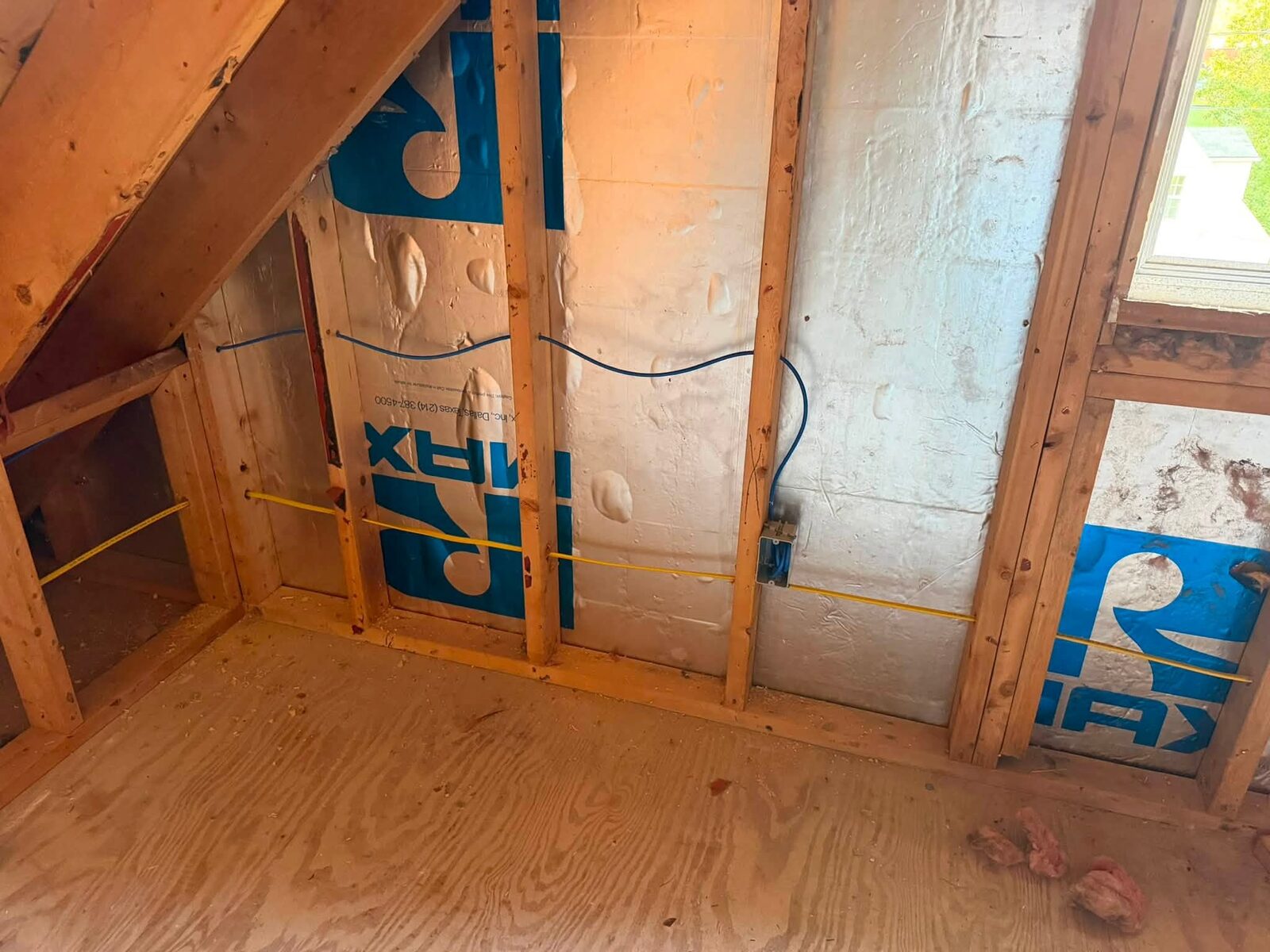
- Cable routing. Clean runs through walls or conduit, not just a cable draped across your yard.
- Network integration. If you want the Starlink router to work with your existing network, security cameras, or smart home security setup, I'll make it happen.
- Troubleshooting. If something goes wrong, you've got someone local to call, not just a support ticket.
I've done installs from Roanoke to the far corners of Pulaski County. I know the terrain, the weather, and the quirks of these systems.
Starlink vs. Other Rural Internet Options
Let's compare:
DSL: Cheap, widely available, but slow. Fine for email, painful for streaming.
Fixed wireless: Depends on line-of-sight to a tower. Can be fast, but terrain and trees are dealbreakers.
Cellular hotspots: Good for backup or light use, but data caps and deprioritization make them rough for full-time home internet.
Old satellite (HughesNet, Viasat): High latency (600ms+), data caps, slow. Starlink beats them in every category.
Fiber: The gold standard, but if you don't have it, you don't have it.
Starlink sits in the sweet spot for rural users who need real bandwidth and can't get cable or fiber.
The Bottom Line
Is Starlink worth it? If you're in a rural part of the New River Valley with limited options, absolutely. It's not the cheapest, but it delivers real performance where other services fall short.
If you've got cable or fiber available, stick with that. If you're on the fence, check the Starlink availability map and run the obstruction check with their app.
And if you decide to move forward, don't just drop the dish in your yard and hope for the best. A proper install makes a huge difference in performance and reliability.
Need Help With Starlink Installation?
We handle Starlink installations across Radford, Christiansburg, Pulaski, Roanoke, and the entire New River Valley. Site surveys, professional mounting, network integration, and ongoing support. We also offer IT support to keep your whole setup running smoothly.
Give us a call at 540-440-1157 or email [email protected]. Let's figure out if Starlink is the right fit for your situation—and if it is, we'll get you set up right the first time.
Need help with your tech in Virginia?
Zaxx Tech Solutions handles security systems, custom PCs, websites, Starlink, and IT support — all locally, all licensed (DCJS #11-30241). Get a no-pressure quote today.